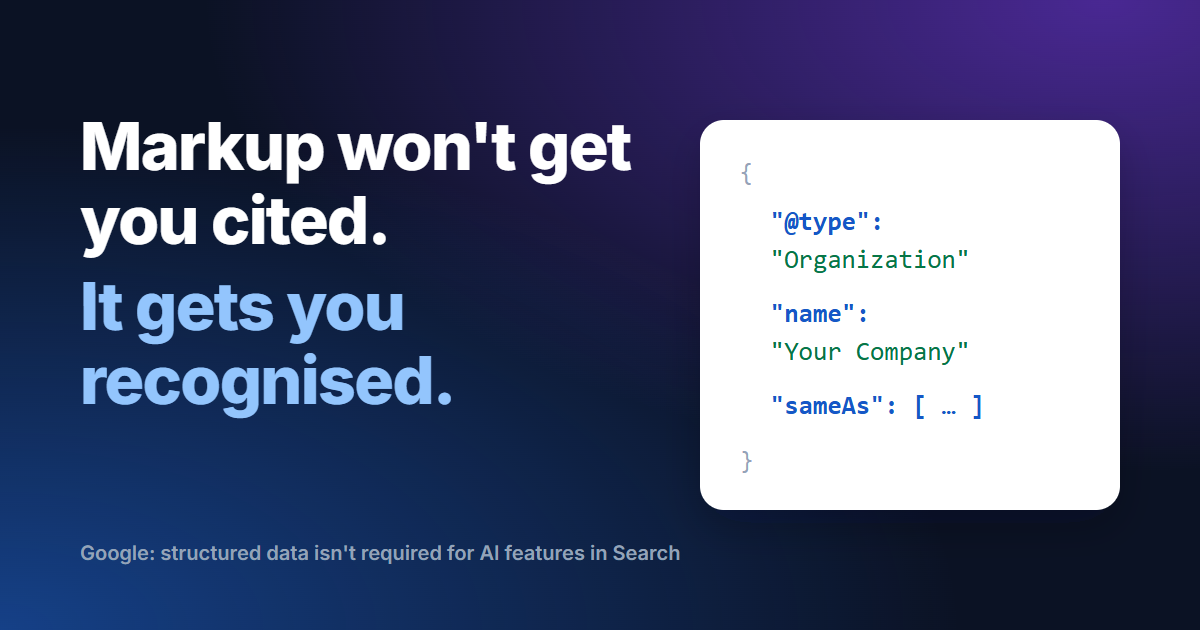
Structured data is the most oversold item on most AI search checklists. It's also one of the most useful, as long as you know which job it does. Adding markup won't put you into AI answers on its own. Getting the right markup right makes it much easier for any machine to know exactly who you are.
What the search engines say
Google is direct about it. Its guide to AI features in Search says: "Structured data isn't required for generative AI search, and there's no special schema.org markup you need to add." In the same breath it recommends keeping markup as part of your SEO, because it makes pages eligible for rich results.
Microsoft has sounded warmer. Speaking at SMX Munich in March 2025, Bing's Fabrice Canel said schema markup helps Microsoft's language models understand content. That was a remark from the stage rather than documentation, so treat it as a signal, not a promise.
What markup actually does
It removes guesswork. Your company name might appear in a dozen places on a page. Markup states plainly that this is an Organization, this is its name, this is its logo, and these are its official profiles elsewhere. For a system joining facts from many sources, that is the difference between probably and certainly.
<script type="application/ld+json">
{
  "@context": "https://schema.org",
  "@type": "Organization",
  "name": "Northwind Analytics",
  "url": "https://example.com",
  "logo": "https://example.com/logo.png",
  "sameAs": [
    "https://www.linkedin.com/company/northwind",
    "https://www.youtube.com/@northwind",
    "https://www.wikidata.org/wiki/Q000000"
  ]
}
</script>
The sameAs list does the heavy lifting here. It tells any reader that the LinkedIn page, the YouTube channel and the Wikidata entry all describe the same company as your website.
The types worth getting right
On the homepage: name, logo, address and sameAs links to your official profiles. The most useful block of all.
On each offering page: what it is and who provides it. Add a price only if it is public and stable.
On guides and news: the headline, the author and the dates it was published and updated.
Wherever a breadcrumb trail is visible: it shows where a page sits within your site.
What happened to FAQ markup
In August 2023 Google stopped showing FAQ rich results for most websites. They now appear only for well-known government and health sites. The markup is still valid and other systems may read it, but don't add it expecting expandable answers under your Google listing. If you use it, the questions and answers must be visible on the page.
Keep it honest
- describes only what the page visibly says
- adds no ratings, reviews or prices the page doesn't show
- names one Organization, described the same way on every page
- is tested in Google's Rich Results Test after every template change
- updates a modified date only when the content really changed
Google's own policies say markup must reflect what readers can see on the page, and markup that misleads can lose a site its rich results.
How GEOFLAKES checks this
Every audit reads the JSON-LD on your pages, validates it type by type and shows the values it found, so you see what a machine reads. Paid plans also get a schema markup plan: the types each page lacks for what it is, and an Organization snippet built only from facts your site already states. FAQ markup is suggested only where the questions are visible, with Google's 2023 change explained.
Sources
- Optimizing for generative AI features on Google Search (Google Search Central)
- Microsoft Bing/Copilot use schema for its LLMs (Search Engine Land, March 2025)
- Changes to HowTo and FAQ rich results (Google, August 2023)
- General structured data guidelines (Google Search Central)