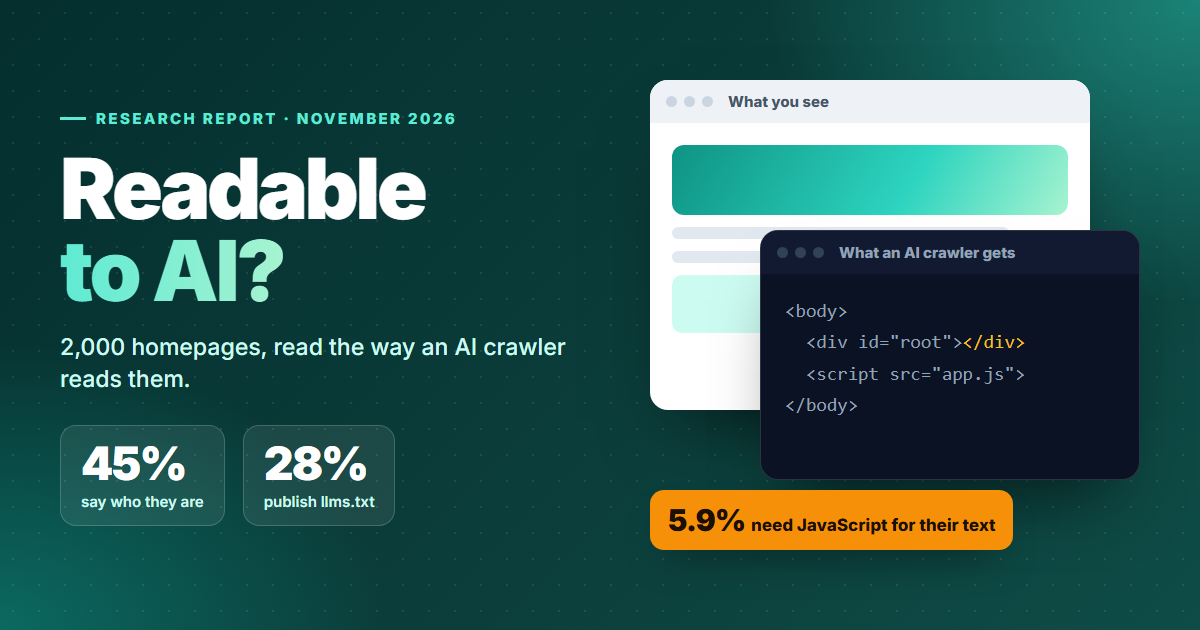
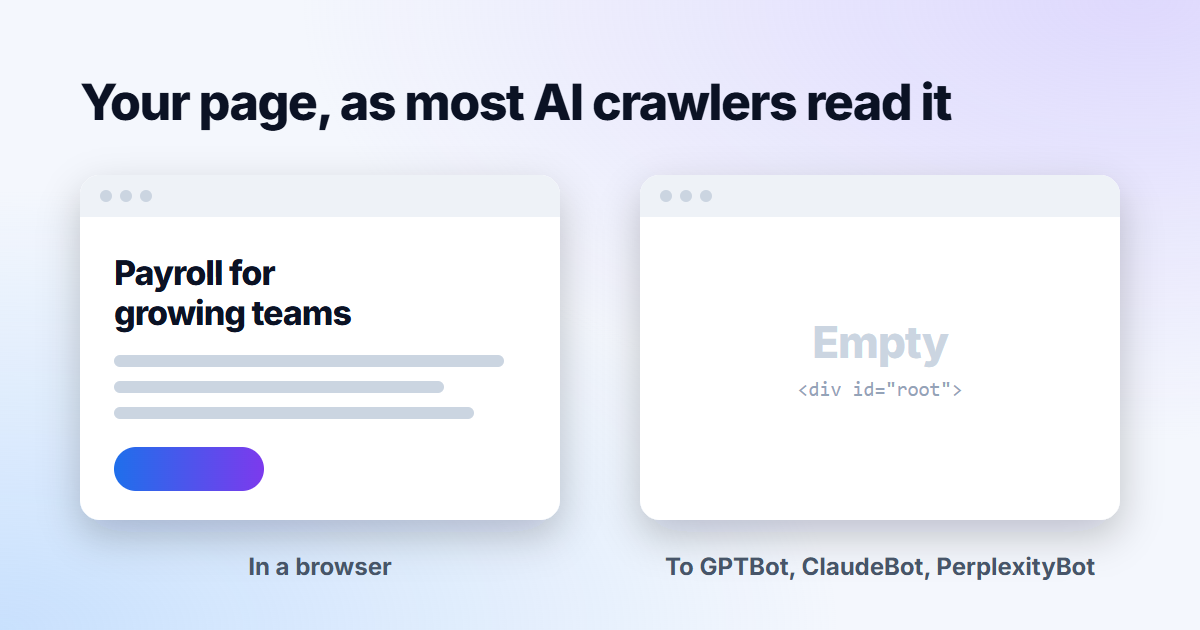
Open your homepage in a browser and you see headlines, product copy and customer logos. Ask most AI crawlers what is on the same page and the honest answer may be: almost nothing. If your site builds its content with JavaScript in the visitor's browser, this is worth ten minutes of your developer's time.
Same page, two readers
A browser downloads the page, runs its scripts and draws the result. Most AI crawlers stop at the first step. They read the HTML your server sends, and if the words only arrive later through JavaScript, those words don't exist for them.
The crawlers that don't run JavaScript
Vercel, which hosts a large share of modern JavaScript sites, studied AI crawler traffic across its network and published the results in December 2024. Its conclusion was plain: none of the major AI crawlers it tracked render JavaScript.
| Crawler | Runs JavaScript |
|---|---|
| GPTBot, OAI-SearchBot, ChatGPT-User | No |
| ClaudeBot | No |
| PerplexityBot | No |
| Meta-ExternalAgent | No |
| Googlebot, which also serves Gemini | Yes |
| Applebot | Yes |
The crawlers from OpenAI and Anthropic did download JavaScript files, 11.5% and 23.8% of their requests respectively, but read them as text without running them. The traffic isn't small either: in the month Vercel measured, GPTBot made 569 million requests across its network and Anthropic's crawler 370 million.
Google is the exception that causes confusion. Googlebot renders JavaScript, so a site can rank in Google and appear in AI Overviews while staying invisible to ChatGPT, Claude and Perplexity. Even Google notes that sites built on JavaScript frameworks are generally more complex to get right.
How to check your own site
- Open a page and view its source (Ctrl+U, or Cmd+Option+U on a Mac). That is the HTML your server sends.
- Search the source for a sentence from the middle of the page. If it isn't there, the text is drawn by JavaScript and most AI crawlers won't see it.
- Look for a near-empty body holding a single element such as
<div id="root">or<div id="__next">, or a line asking visitors to enable JavaScript. - Check more than the homepage. Product, pricing and case study pages are often built differently.
How to fix it
The fix is a developer's job, and every major framework already supports it.
The server sends finished HTML on every request. Next.js, Nuxt, SvelteKit and Remix all do this.
Pages are built into HTML ahead of time. A good fit for marketing pages that change weekly, not by the second.
A service renders pages for bots. It works, but it can drift out of step with what people see, so keep the two identical.
Whichever route you take, the test stays the same: the words you want quoted must be in the HTML before any script runs. That includes text inside tabs and accordions, which is often loaded only when someone clicks.
How GEOFLAKES checks this
Our crawler reads the HTML your server sends and runs no scripts, the way most AI crawlers do. If your homepage's text only appears once JavaScript runs, the audit marks it as a critical issue, because every answer engine that skips scripts is looking at the same empty page.
Sources
- The rise of the AI crawler (Vercel, December 2024)
- Optimizing for generative AI features on Google Search (Google Search Central)
- JavaScript SEO basics (Google Search Central)